FAQ & Troubleshooting
-
When installing the Windows app, my antivirus flags ARO App as a virus. What should I do?
Some antivirus software may incorrectly detect ARO App as a threat. You can manually add the app to your antivirus allowlist or ignore list and continue the installation. -
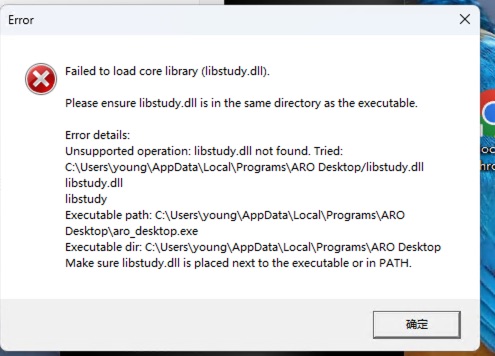
When installing the Windows app, I see "Fail to load libstudy.dll". How can I fix it?
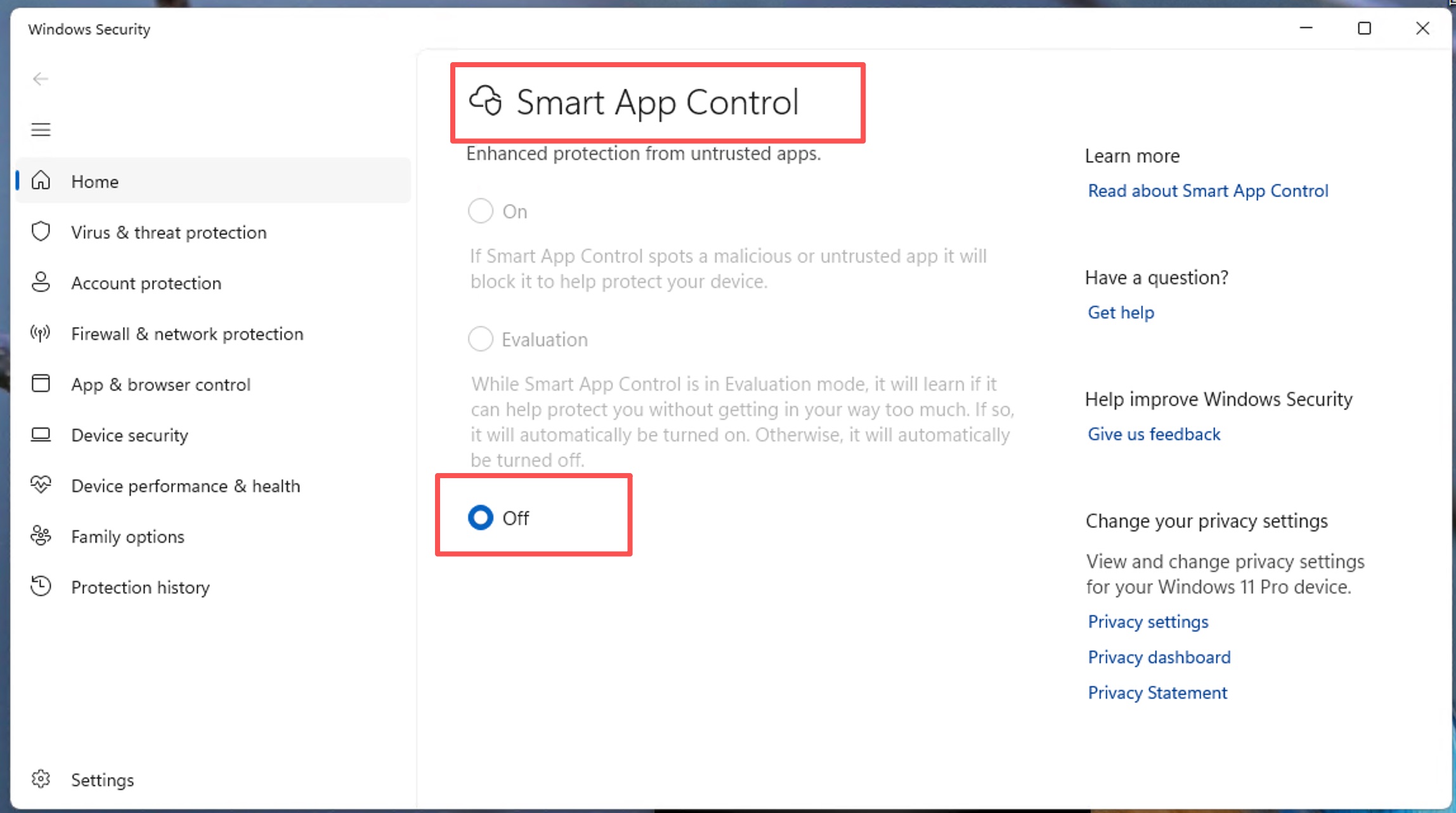
This usually means Windows security has quarantinedlibstudy.dll. Please disable Smart App Control, then reinstall or relaunch the app.- Open Windows Settings.
- Go to Privacy & security > Windows Security > App & browser control.
- Find Smart App Control and turn it Off.
-
My startup app icon is not shown in the tray area. If I click Quit from the taskbar menu, the app cannot be opened again.
This behavior can happen on GNOME desktops because tray support depends on shell extensions.- Install the extension manager tool:
sudo apt update
sudo apt install gnome-shell-extension-manager-
Install tray support extension:
- Open Extension Manager.
- Search and install AppIndicator and KStatusNotifierItem Support.
-
Enable the extension:
- Open Extension Manager.
- Find AppIndicator and KStatusNotifierItem Support.
- Turn the switch ON.
-
Restart GNOME:
- Press Alt + F2.
- Type
rand press Enter. - If this does not work on Wayland, reboot your computer directly.